Table of Contents
Mixamo Animation Control Rig
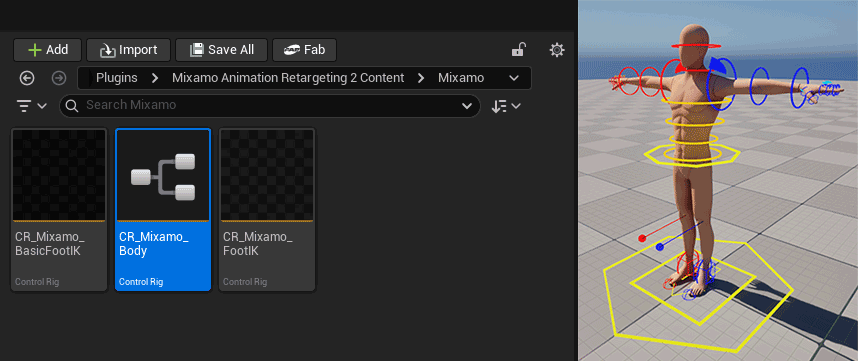
This is a guide to the Mixamo Control Rig asset for Unreal Editor v5.5 onwards, included with the plugin as of v2.3.3.
Overview
This Control Rig replicates a lot of the same functionality and controls found in the CR_Mannequin_Body rig included in the Third Person Template and should be immediately familiar to anyone who has used that rig before.
It is intended for authoring and editing animations for Mixamo characters directly inside the Unreal Editor.
Features
- Dynamic control setup designed to work with all Mixamo characters.
- Seamless IK / FK control switching for arms and legs.
- Reverse foot control setup.
- Layered support for animation editing.
- Root motion support.
- As of Unreal Engine 5.7, it will also correctly animate the standard IK bones now included on retargeted Mixamo skeletons.
Controls
IK / FK Switching
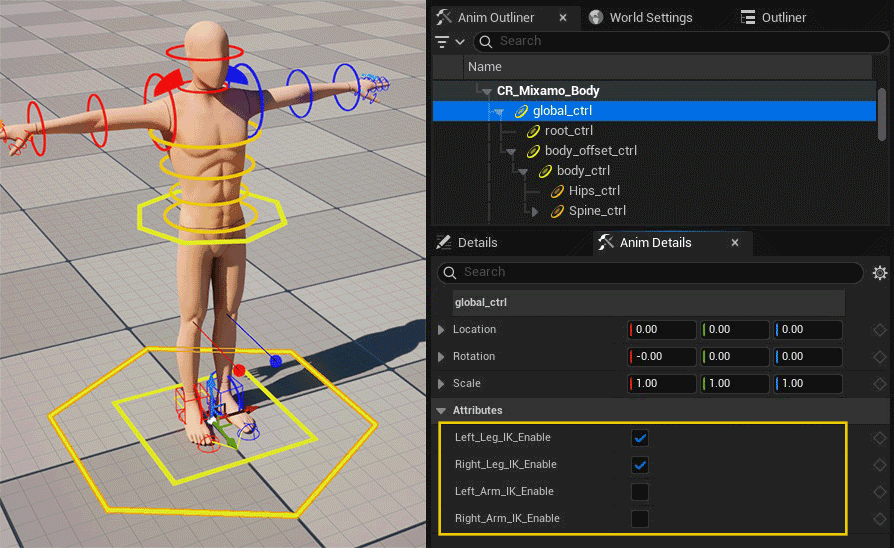
The IK / FK mode for the arms and legs can be changed from the Anim Details panel for the global_ctrl. Switching modes will automatically add keyframes for the relevant controls in the timeline for a seamless transition between modes.
Finger Controls
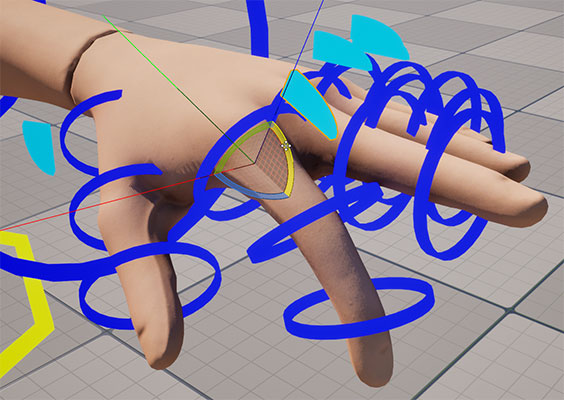
The rig includes individual FK controls for each finger bone as well as a proxy controls for finger curl. These controls are dynamically created to match the number of fingers and finger bones in the character skeleton.
Reverse Foot Controls
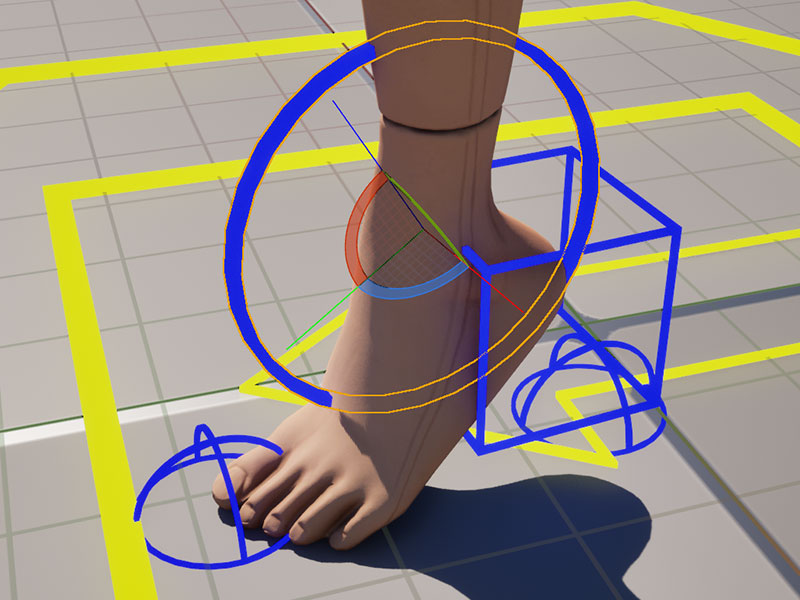
The rig includes a standard reverse foot setup with a roll control at the ankle as well as individual tip and heel controls.
Known Issues
Converting a Control Rig track to layered in the sequencer breaks the rig
Due to a bug in UE 5.5 and 5.6, using the Convert To Layered option on a control rig track is likely to cause problems with the rig.
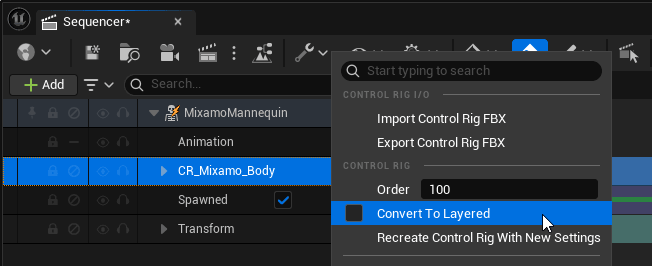 Note: In 5.7 this issue is fixed, however if the sequence contains other characters with control rig tracks, any animation on those tracks will likely be broken.
Workaround: Remove the existing Control Rig track and add a new one with the Layered option enabled.
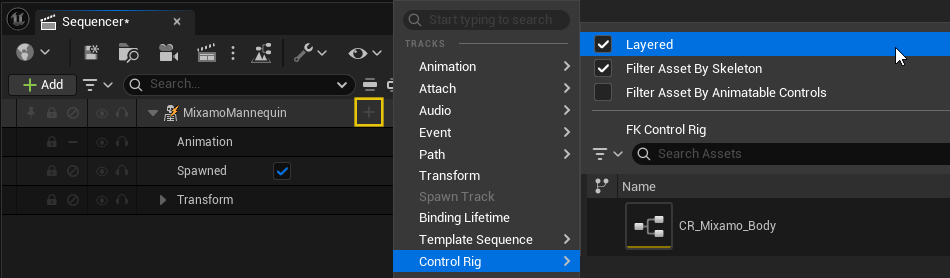
Finger Proxy Controls not working in layered mode
When the control rig is in layered mode, the proxy controls for finger curl do not work. This same issue is present on the Epic Mannequin control rig included in the Third Person Template, so it could be a bug or limitation with the way the controls are driven through the backwards solve when used in layered mode with an animation.
Workaround: The individual FK controls still function correctly even if not as convenient as the proxy control.
Lines to the IK pole targets not drawn in layered mode
The Draw Line node doesn't seem to work when the control rig is in layered mode. Again, this is also present on the Epic Mannequin control rig, so seems to be a bug with the editor.
Workaround: This is just a visual bug, the pole controls still function correctly.